


Atlanta News First
3.7252.00 Reviews
App Specs
- Version
- Varies with Device
- Updated On
- License
- Free
- Downloads
- 100,000+
- Developer
- Gray Media
- Categories
- News & Magazines
- Platform
- Android
Screenshots


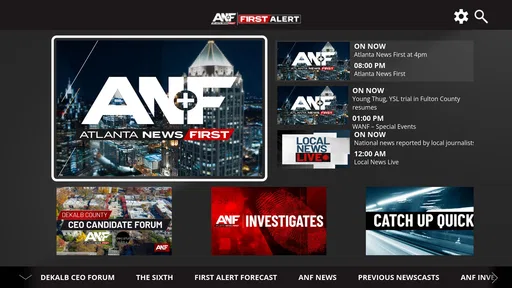
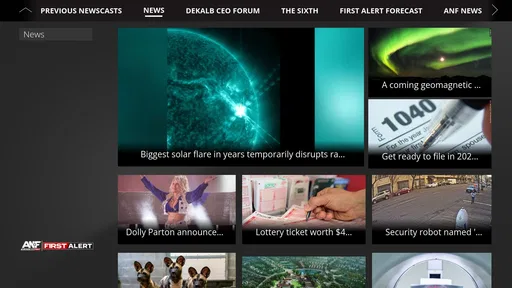
 Analysis by AppCompare
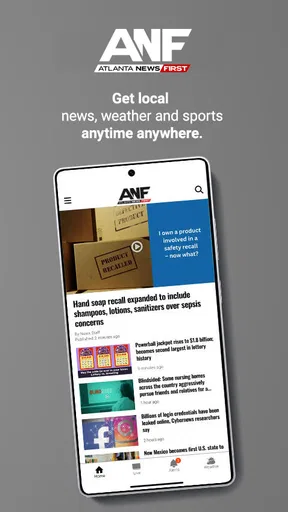
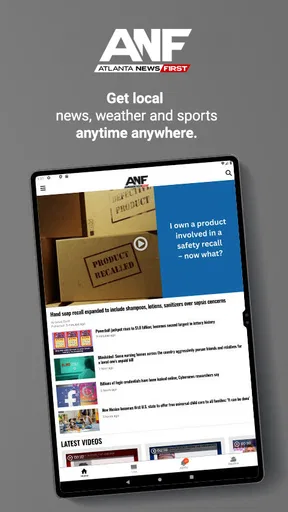
I spent time with Atlanta News First as a straightforward way to follow local reporting and weather information on an Android phone. The app comes from Gray Media, is free to use, and is aimed at people who want Atlanta-focused news close at hand rather than a broad national news reader. Its central appeal is practical: open it when something is happening nearby, scan the latest headlines, and check weather information without moving between several unrelated services.
That focused purpose also defines its limits. I would not treat it as a complete replacement for a national news app, a dedicated weather tool, or a full broadcast experience. Instead, I see it as a local companion for residents, commuters, families, and anyone who wants Atlanta coverage in a compact mobile format. The app is listed for Everyone, has passed the one-hundred-thousand-install mark, and holds a 3.7 average from roughly seven hundred ratings. Those numbers suggest a useful but not universally smooth experience, which matches my impression: the idea is clear, while the day-to-day value depends heavily on how much local news and weather you need.
How clearly the app supports different readers and situations
I’d look at this section through the small decisions that shape a useful news routine: whether a reader needs a quick local check, a more deliberate reading session, or extra support from device settings. In my view, the app’s value depends less on reading every update than on choosing a comfortable, repeatable way to use it. That distinction matters when deciding which situations it genuinely serves well.
Readability and navigation for quick local checks
The strongest part of Atlanta News First is its narrow editorial destination. I do not have to decide whether I am looking at a general-interest feed, a social timeline, or a collection of unrelated topics. The name and purpose make the first decision easy: if I want Atlanta news, this is the place to start. That clarity matters when I am checking my phone quickly before leaving home or trying to understand a developing local story.
The news-and-weather combination is also sensible. Local reporting and weather frequently belong in the same routine, especially in Atlanta, where a forecast can affect driving, school plans, outdoor work, and evening travel. Having both areas associated with the same app reduces the mental effort of remembering separate sources. I found that useful when I wanted to check a headline and then immediately decide whether changing weather might affect my plans.
For readers who prefer short sessions, the app makes more sense than a long-form news website. A phone screen rewards a simple pattern: scan, choose a story, read enough to understand the situation, and leave. That does not mean every article will be equally easy to read, but the local focus prevents the experience from becoming as noisy as a general news feed. I especially like this approach for people who do not want national headlines crowding out information about their own area.
There is a trade-off for users who need a very predictable reading structure. News apps can change emphasis as stories develop, and a breaking-news environment may place several urgent items close together. Someone who relies on a fixed visual routine may need a moment to reorient when the order of stories changes. My practical advice is to use the app as a quick overview first, then open the most important item and read it without trying to process the entire feed at once.
Worth Reading Before You Choose

EA SPORTS FC Mobile 26 Is a Bigger Football Game, but It Takes Time

Flipboard Shows What News Apps Must Do Beyond the Feed

Switching to Android Auto Means Rethinking Your Driving Routine

Google Calendar Makes a Crowded Week Easier to Manage

Ludo King Makes the Most of the Minutes Between Plans

Baby Panda World Brings Quick Play to Modern Phones, but Its Game Library Feels Busy
Text size and contrast are important considerations for anyone with low vision, eye fatigue, or difficulty reading dense screens. I would not assume that the app’s default presentation is ideal for every reader. A useful workflow is to adjust the phone’s own display and text settings before judging the app, then test a complete story rather than only the headline list. If enlarged text causes awkward wrapping or requires excessive scrolling, a mobile browser or another news source with stronger reading controls may be more comfortable.
For older users, the app’s local purpose can be an advantage because it limits the number of choices. A family member who mainly wants Atlanta headlines and weather may find it easier to understand than a national aggregator filled with unfamiliar sections. At the same time, anyone who needs very large controls, highly customizable layouts, or unusually strong screen-reader support should test the actual navigation on their device before making it their only news source. The content may be relevant even when the interface is not a perfect fit.
Motor and sensory considerations during everyday use
News reading is often a low-pressure activity, but the context changes everything. I might use the app while standing on a train platform, holding a bag, or dealing with glare outdoors. In those moments, small controls and busy screens become more noticeable than they are at a desk. Atlanta News First works best when I can give the phone a few seconds of attention, rather than when I am trying to operate it with one hand while moving.
For users with limited dexterity, the main concern is the number of taps needed to reach useful information and return to the story list. A good habit is to avoid rapid repeated tapping when a page is loading. I found that deliberate taps are safer than trying to activate several items quickly, particularly when the phone is being used one-handed. If a reader has tremors or reduced precision, using the device’s touch-and-hold timing, accessibility menu, or alternative input method may make the experience less frustrating.
People with motor fatigue may also benefit from treating the app as a selective tool instead of attempting to read everything. I recommend opening it with a specific goal: check the forecast, look for a local update, or read one developing story. This reduces repeated scrolling and helps avoid unnecessary navigation. It is a small change, but it turns a potentially tiring browsing session into a short, manageable task.
For sensory-sensitive readers, local news can be emotionally intense even when the interface is simple. Breaking coverage, severe weather, traffic problems, and crime reporting can create stress. I would not open the app immediately before sleep if urgent headlines tend to increase anxiety. A calmer routine is to check weather and planned travel earlier, then return only when there is a clear reason. The app is useful for awareness, but constant checking can make awareness feel like pressure.
Sound is another practical issue. I would not depend on an audio alert or any assumed notification behavior as the only way to receive important information. If a weather or safety update matters, I would verify it visually and keep the phone’s broader alert settings configured for the needs of the person using it. Someone who is deaf or hard of hearing can still use a text-based news workflow, but should not assume that every urgent development will be equally accessible through sound, vibration, or visual presentation.
Readers with color-vision differences should be cautious about interpreting visual emphasis by color alone. Headlines, labels, or weather presentation may be easier to understand when the surrounding text is read as well. I prefer to use the wording and context of an item rather than relying only on a colored indicator. This is a useful general rule for local weather information, where a color scale can be less clear than an explicit description.
Situational access: when the local focus helps most
The most convincing use case is a normal Atlanta morning. I can open the app before leaving, scan local headlines, check the weather, and decide whether I need extra travel time or different clothing. Later, I can return during a break to see whether a developing local story has changed. That sequence is more useful to me than reading a large national feed and hoping the relevant Atlanta information appears.
It is also helpful during severe-weather awareness, provided I treat the app as one part of my information routine. A person may want local reporting alongside official emergency communication, especially when conditions change quickly. The app can provide context and regional coverage, while official alerts remain important for immediate instructions. I would not use a news app as the sole source for urgent safety decisions.
For people new to Atlanta, the local emphasis can shorten the learning curve. Instead of searching repeatedly for neighborhood or regional developments, they have a dedicated place to begin. This may help someone understand what issues are affecting the area, what weather patterns are influencing plans, and which stories are receiving local attention. It is less useful for a traveler who only needs a one-time forecast or for a reader whose interests are mainly national and international.
The app can fit family routines as well. One person can check local updates before a school run, another can review the forecast before commuting, and a household can discuss a regional story from the same starting point. The benefit is not advanced collaboration; it is simply having a shared local reference. That makes the app practical for households where different people have different levels of interest in the news.
Its free price removes a significant barrier for casual users. Someone can try it without committing to a subscription, which is useful when the main need is occasional local checking rather than constant reading. The content rating of Everyone also makes it broadly approachable for households, although adults should still use judgment when discussing difficult news stories with children. An age label does not make every report emotionally suitable for every young reader.
On a slow connection, I would keep expectations modest and avoid treating the app like an offline newspaper. Local news is valuable precisely because it changes, so the usefulness of a page depends on current loading and connectivity. If I know I will be somewhere with unreliable service, I would check important information beforehand and avoid depending on a live app for a time-sensitive plan.
Where the experience still creates barriers
The 3.7 average rating tells me that Atlanta News First is not a universally polished experience, even though it has found a substantial audience. I would not interpret that rating as a reason to dismiss it, but I would take it as a reminder to test the app against personal needs. A reader who wants only occasional Atlanta headlines may be satisfied, while someone who expects a highly refined, deeply customizable news platform may notice more friction.
One limitation is scope. The app’s local identity is its reason to exist, but it also means I would still keep another source for national, international, business, technology, or specialized coverage. A broad aggregator is better when I want one place for many regions. A dedicated weather app may be better when I need detailed forecasting tools. Atlanta News First is strongest when local reporting and local weather are the center of the task, not when they are just two small interests among many.
Another barrier is the difference between reading headlines and understanding a complex event. A compact mobile feed is convenient, but a developing story may require background, timelines, official documents, or multiple perspectives. I would use the app to discover and follow local coverage, then seek additional context when the decision matters. This is especially important for health, safety, legal, or financial topics, where a short news item should not be treated as personal advice.
Notifications, if enabled on a user’s device, can also change the emotional character of the experience. Some people want immediate awareness; others find repeated alerts distracting or stressful. I recommend reviewing the phone’s notification controls after installation and allowing only the level of interruption that genuinely helps. A person with attention difficulties may benefit from checking manually at chosen times instead of letting every update compete with work or rest.
Navigation can be harder for users who depend on assistive technologies if labels, focus order, or changing content are not presented consistently. I cannot recommend assuming perfect compatibility simply because the app is a news reader. Anyone using TalkBack, magnification, switch access, voice control, or other tools should perform a short real-world test: launch the app, reach a headline, open a story, read several paragraphs, and return to the main screen. That test will reveal more than a general accessibility claim.
People with cognitive disabilities may appreciate the narrow local purpose but still find a changing news stream demanding. I would suggest a repeatable routine, such as checking one section at a familiar time and stopping after the needed information is found. Caregivers or family members can also help by identifying which kinds of local updates are useful and which topics should be approached with support. The app can be part of an accessible routine, but it does not create that routine by itself.
How it compares with familiar alternatives
Compared with a general news aggregator, Atlanta News First feels more relevant when my question is specifically local. I spend less time filtering out distant headlines, but I give up breadth and personalization. The aggregator wins for someone who follows several cities or wants a single cross-topic dashboard. This app wins when Atlanta is the place that affects my daily decisions.
Compared with visiting a news website in a browser, the app is more convenient for repeated checks because it has a dedicated place on the phone. A browser can be better for users who want larger reading controls, easier tab management, or access without adding another app. It may also be preferable on a shared device or when storage and notifications are concerns. I see the app as a faster habit, not automatically a better reading environment for everyone.
Compared with a standalone weather service, the weather side of this app is more valuable when I want forecast information alongside local reporting. A specialist weather app is usually the better choice for readers who need advanced maps, detailed forecast layers, or weather-focused customization. My choice would depend on whether I am asking, “What is happening locally, and what should I know about today?” or, “I need the most detailed possible forecast.” Those are different jobs.
Compared with television news, the app gives me more control over timing. I can check it when convenient rather than waiting for a broadcast. Television may still be better for people who prefer a guided presentation, larger screens, or a shared household viewing experience. The mobile format favors independence and quick reference, while broadcast coverage can feel easier for someone who does not want to navigate stories manually.
My inclusive verdict for Atlanta readers
After using Atlanta News First, I would recommend it to anyone who wants a free, local-first news and weather starting point on Android. Its best quality is not a long list of tools; it is the reduced distance between opening the phone and finding Atlanta information. The app’s history reaches back to 2012, and its continued presence alongside a six-figure install base suggests that the basic idea remains useful to many readers.
I would recommend a short trial rather than an automatic commitment. Test the headline list with your preferred text settings, open a full story, check how comfortably you can return to the main screen, and decide whether the weather information fits your routine. If you use assistive input, perform that test with it enabled. If you are sensitive to interruptions, review notification behavior before allowing the app to become part of your daily schedule.
The most inclusive way to use this app is as a flexible local reference, not as the only source for urgent information. Pair it with official emergency channels when safety is involved, and keep a broader news or weather option if your interests extend beyond Atlanta. That approach preserves the app’s convenience without asking it to solve every information need.
My final view is positive but specific. Atlanta News First is a sensible choice for local awareness, especially for residents and commuters who want news and weather in the same place. It is less suitable for people seeking deep customization, comprehensive national coverage, or guaranteed compatibility with every accessibility setup. For readers whose daily questions begin with what is happening around Atlanta, it earns a place on the phone; for everyone else, the free trial is the fairest way to see whether its focused design matches the way they actually read.
Pros
- Fast access to breaking news
- weather updates
- and local Atlanta coverage.
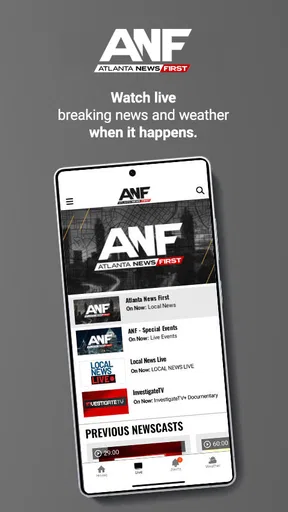
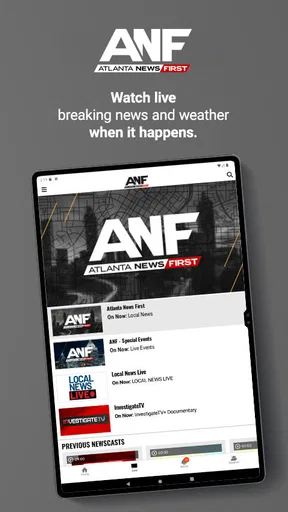
- Live newscasts help users follow major stories as they develop.
- Useful weather tools include forecasts
- radar
- and severe-weather alerts.
- Video reports provide more context than short written news summaries.
- Covers community stories and events that national news apps often overlook.
Cons
- Frequent breaking-news alerts may feel excessive without careful notification settings.
- Some content can be repetitive across articles
- videos
- and live coverage.
- Advertising may interrupt browsing and reduce the overall reading experience.
- Coverage is primarily regional
- offering limited value outside the Atlanta area.
- The app may use considerable data when streaming live video or news clips.
FAQs for Atlanta News First
What is Atlanta News First?
Atlanta News First is a local news app focused on the Atlanta, Georgia area. It provides access to breaking news, local headlines, weather updates, traffic information, video reports, and stories from the station’s newsroom. The app is designed for users who want to follow important developments in Atlanta and surrounding communities from an Android or iOS device, whether at home or on the go.
What type of news and information can I find in the app?
The app typically covers a broad range of regional topics, including breaking news, crime and public safety, politics, education, business, health, sports, entertainment, and community stories. Users can also find weather forecasts, severe-weather coverage, traffic updates, live reports, and video clips. Available sections and content may change depending on current events and the station’s publishing schedule.
Does Atlanta News First provide live news and weather alerts?
Atlanta News First may offer live newscasts, live breaking-news coverage, video streams, and updates from the station when important events are happening. Weather features can include forecasts, radar information, severe-weather reports, and notifications for significant conditions. Availability may vary by location, time of day, device, internet connection, and broadcasting rights, so some live content may not always be accessible.
Is the Atlanta News First app free to download and use?
The app is generally free to download, and users can usually read news stories, watch selected videos, and access basic weather or traffic information without paying a subscription. However, the application may contain advertising, and certain content or features could depend on external services or regional availability. Mobile data charges may also apply when streaming video or using the app away from Wi-Fi.
Does Atlanta News First require location access or notifications?
Location access and push notifications are commonly optional, but enabling them can improve the experience. Location permission may help the app display more relevant weather, traffic, or local coverage, while notifications can alert you to breaking news and severe weather. You can manage these permissions in your device settings. If privacy is a concern, you can deny access and continue using available general content.


